
All solutions, one platform for hotels.
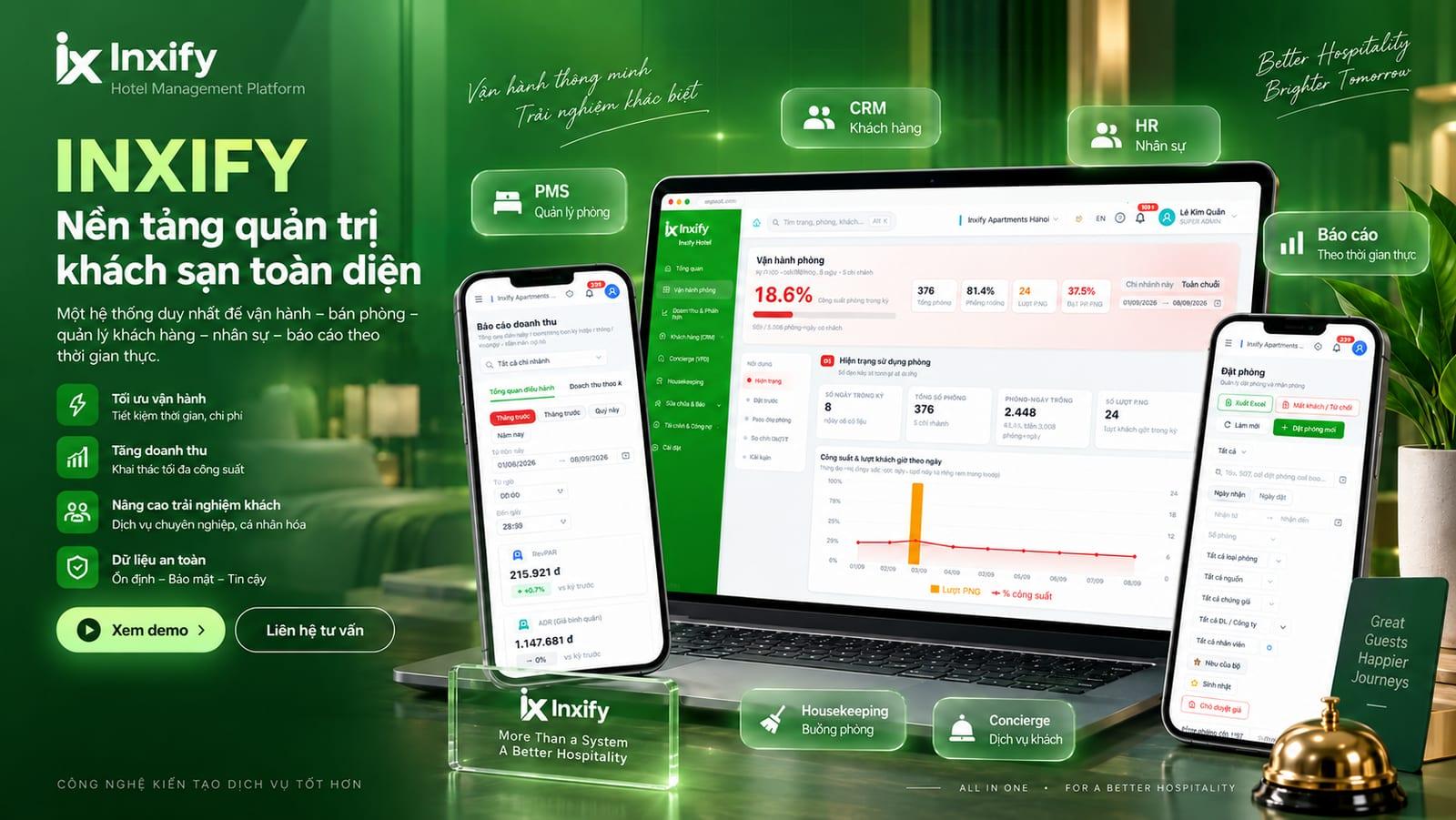
Front desk, guests, staff and guest services sit on one platform, sharing one source of data and one login. Every image below is a real screen from the running software.
Operations
Inx PMS
Run the whole hotel from one screen
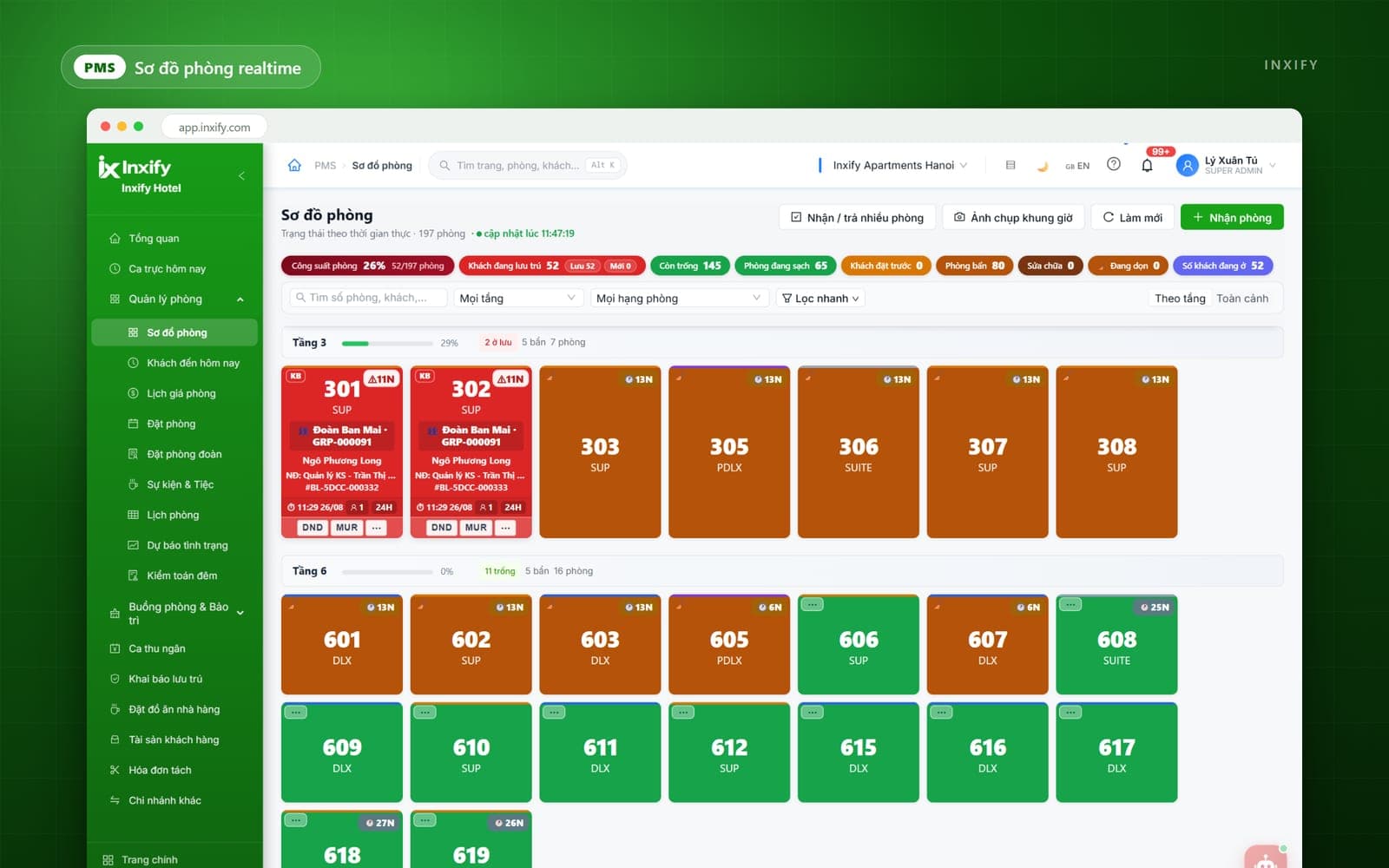
The live room plan is where the front desk works all shift: book, check in, check out, move rooms, and see which rooms are ready. Every room transaction passes through one place, so the day's numbers are not added up by hand.
- Room plan and calendar change state as it happens — no page refresh
- Rates by season, channel and room type — edit once, applied across every channel
- Role-based access and an activity log: who changed what, and when, is always traceable
Rollout
Included in every package, priced by room count.
Guests
Inx CRM
Know who the guest is before they reach the lobby
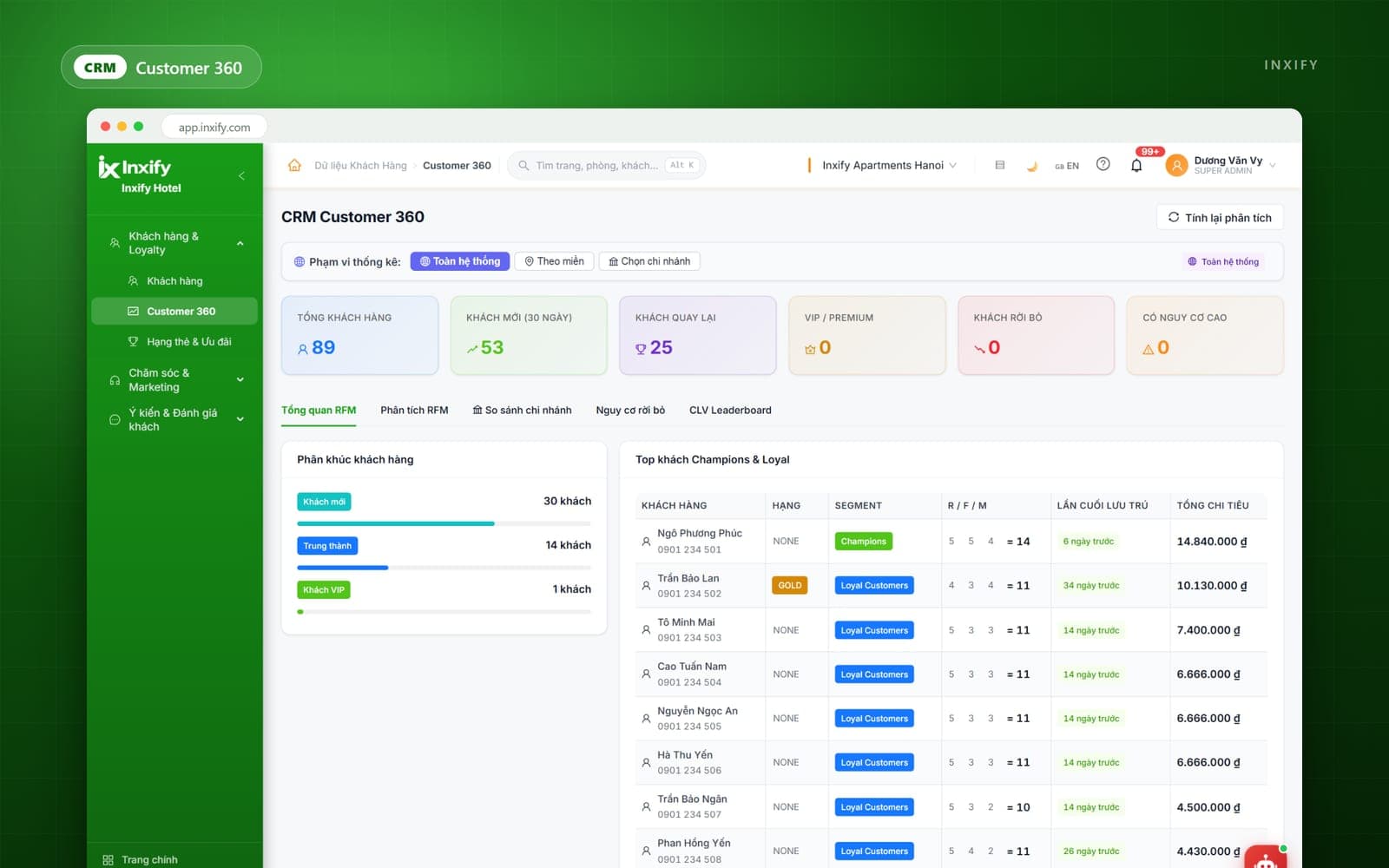
Every stay leaves data: which room, what they spent, which channel they came through. CRM merges it into a single profile, so next time whoever is on duty knows what this guest likes and what to avoid.
- One merged guest profile that grows with each booking — nobody types it in
- Segment by frequency, spend and source, so offers reach the right people
- Post-stay follow-up: invite guests back instead of paying commission forever
Rollout
The guest data module is part of the core; deeper CRM is built to order.
Staff
Inx HRM
Shifts, timesheets and training in one place
Hotels run on shifts and change staff constantly. HRM ties the staff record to the system role, so whoever starts a shift has the right access, and every action traces back to the right person.
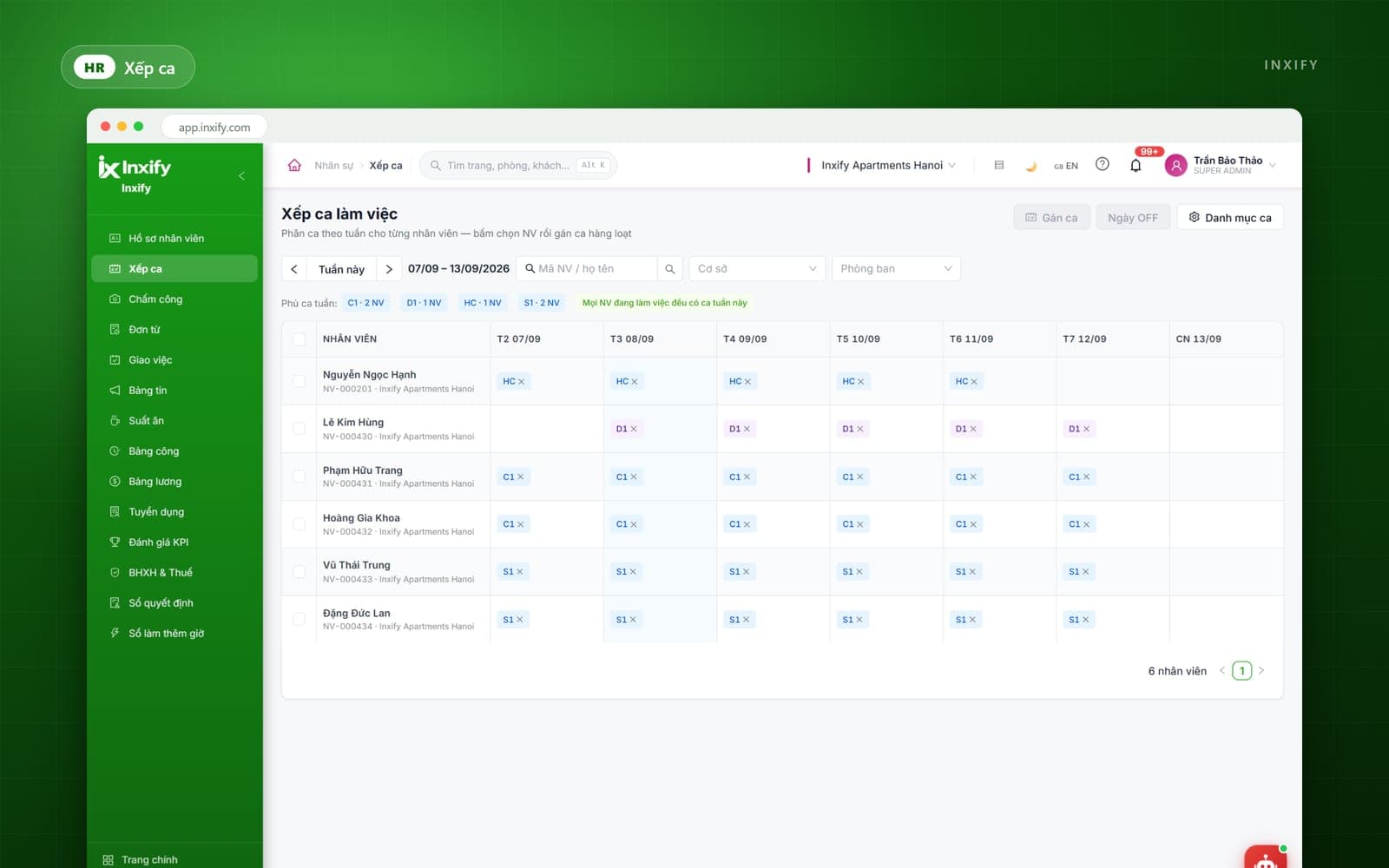
- Weekly rosters per person, bulk shift assignment, and instant sight of who has none
- Timesheets and payroll drawn straight from closed shifts, never re-entered
- Training academy: lessons by position, standardising service across the group
Rollout
Rolled out on each hotel's own schedule; the training academy can be added at any time.
Guest experience
Inx Virtual Front Desk
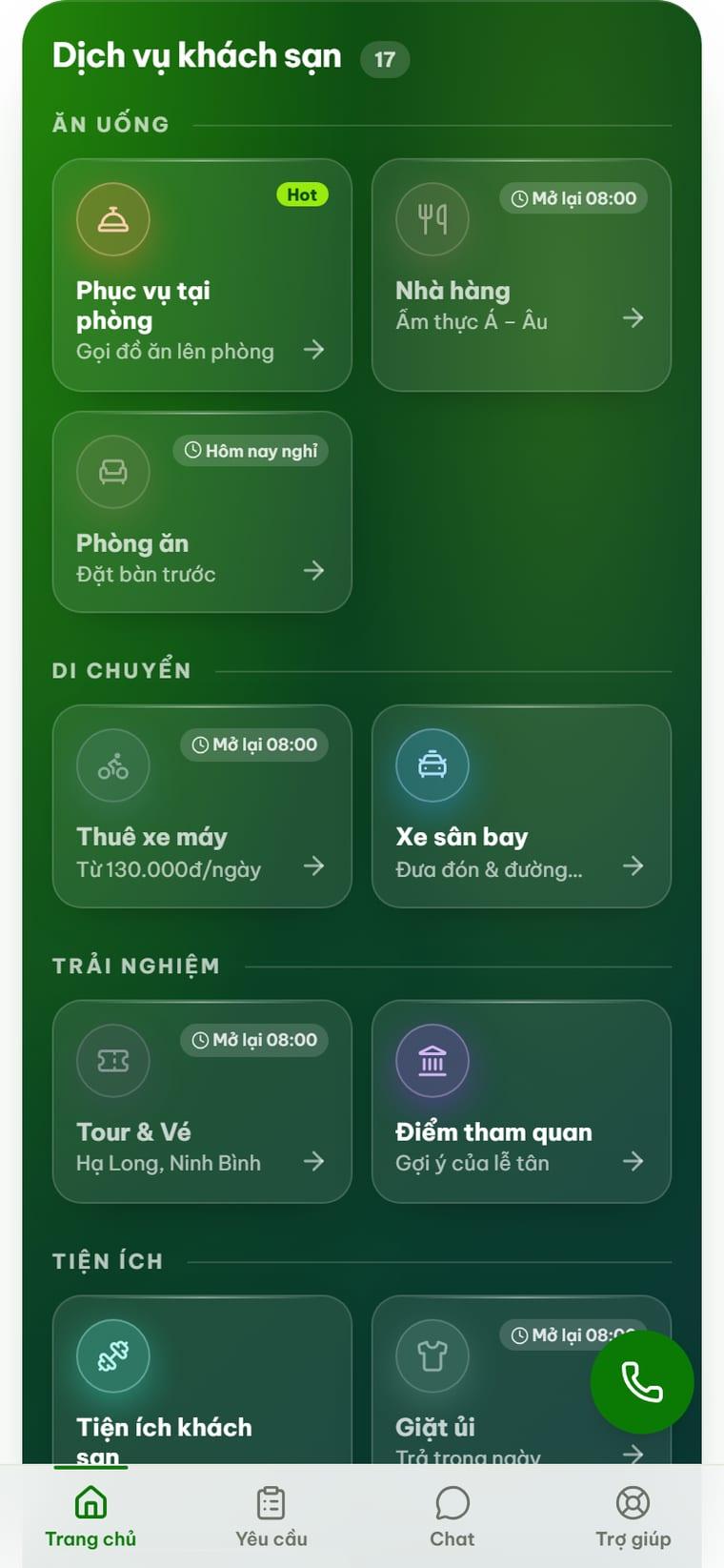
Guests serve themselves by phone, with nothing to install
A guest scans the QR code in the room and the hotel's whole service list opens like an app. Requests land straight on staff screens, status updates for both sides, and charges post to the room.
- Runs in the phone browser — scan and use, nothing for the guest to install
- Each service switched on and given its own opening hours per property
- Multilingual, and managers edit the menu, prices and hours themselves — no developer needed
Rollout
Built for multi-property groups — one system, a separate service list per property.
On a phone
The same system, opened on a phone
Not a separate cut-down app: the main operating screens have a phone version, so a manager keeps track while walking the floors or away from the property.
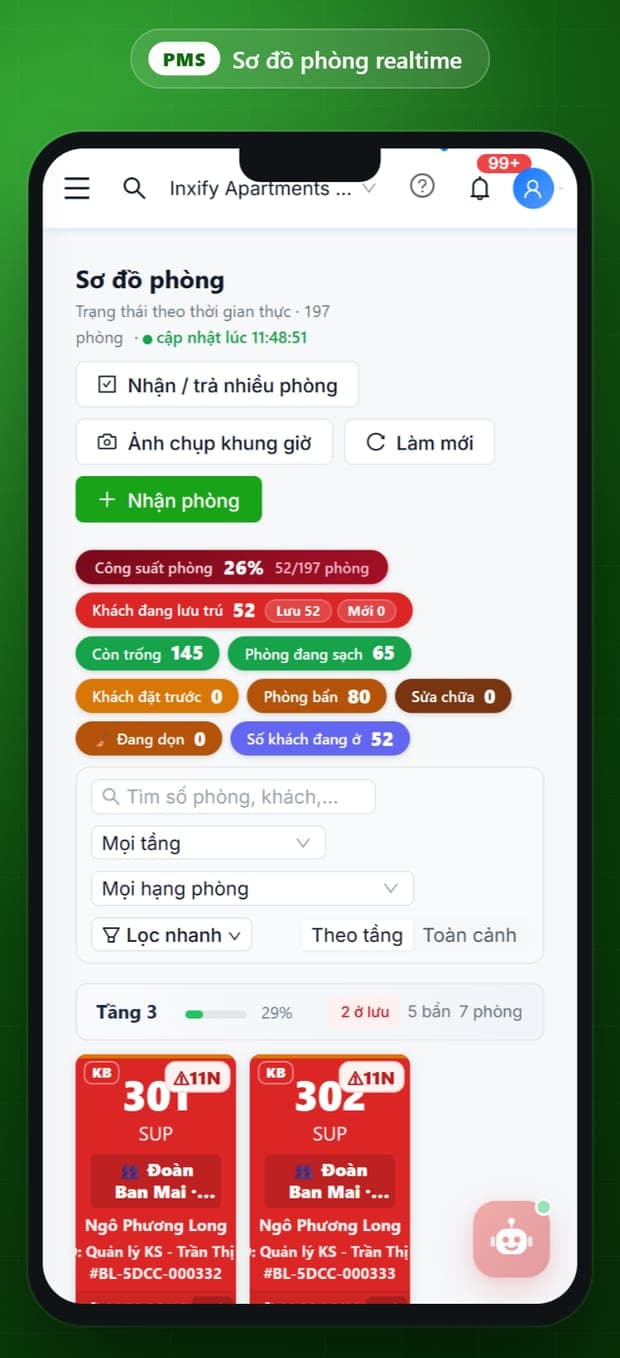
Room plan
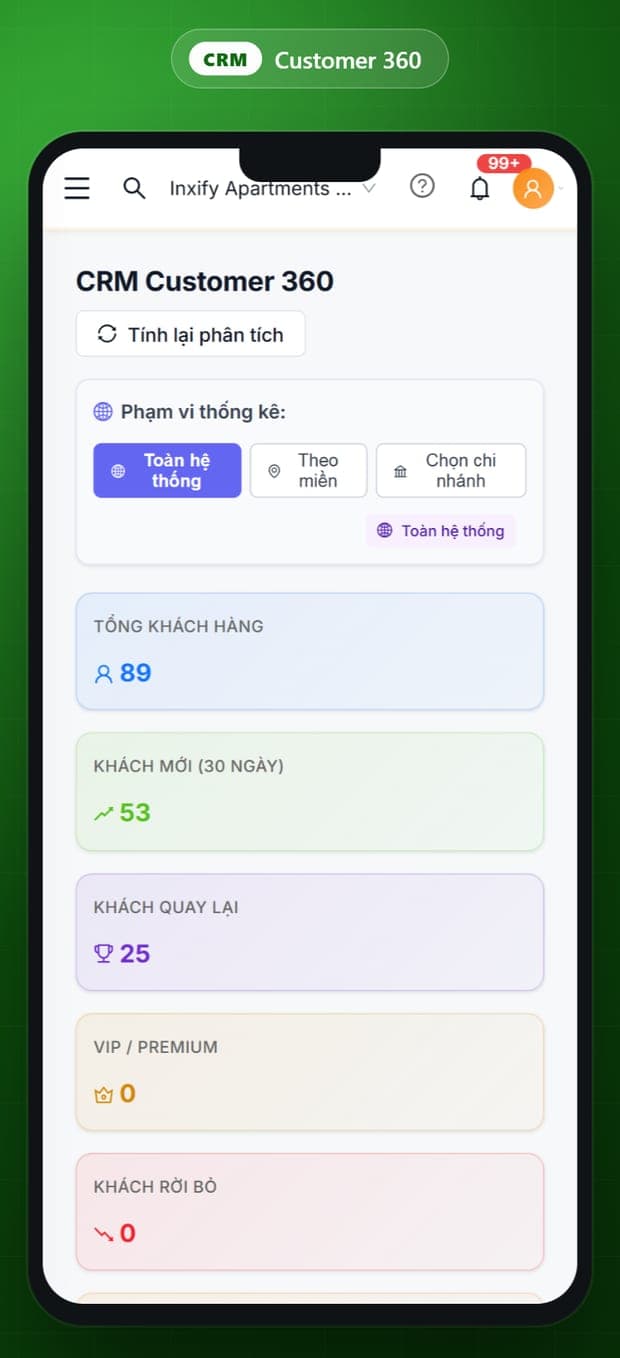
Guest profile
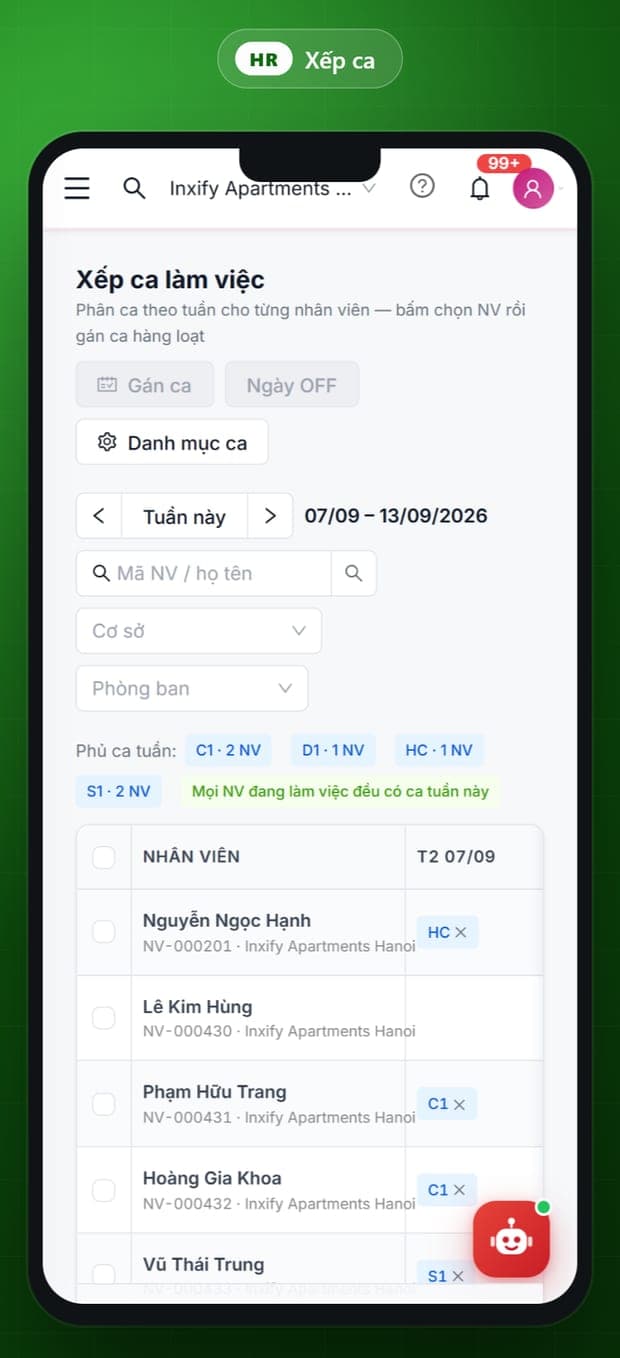
Shift roster
All solutions, one source of data
A guest orders breakfast through Virtual Front Desk, the charge posts to the room in the PMS, the CRM profile records the habit, and HRM knows which shift served it. Nothing re-entered, nothing reconciled by hand — because it all runs on one platform.
Virtual Front Desk takes the guest's request
PMS posts it to the room and closes revenue
CRM updates the profile and the habit
HRM records the shift and who served
Start with the solution you need most
You do not have to buy everything at once. Book a demo — we open the software on your own room plan and your own way of working.