
Shifts, hours, pay and tasks for every person — nothing added by hand.
Assign a whole week of shifts once; hours and pay follow from there — exactly the way you split shifts.
Inxify HR is the staff module on the same platform as the PMS: records, contracts, rosters, attendance, timesheets, payroll, tasks and recruiting under the account staff already use on shift. Shift catalogues, pay policy and sign-off criteria are set the way your hotel splits shifts and pays wages.
- Rosters · Attendance · Timesheets · Pay
- Tasks assigned and signed off on a board
- Recruiting with AI-suggested scores
- Many properties, one staff ledger
- Same account as the PMS
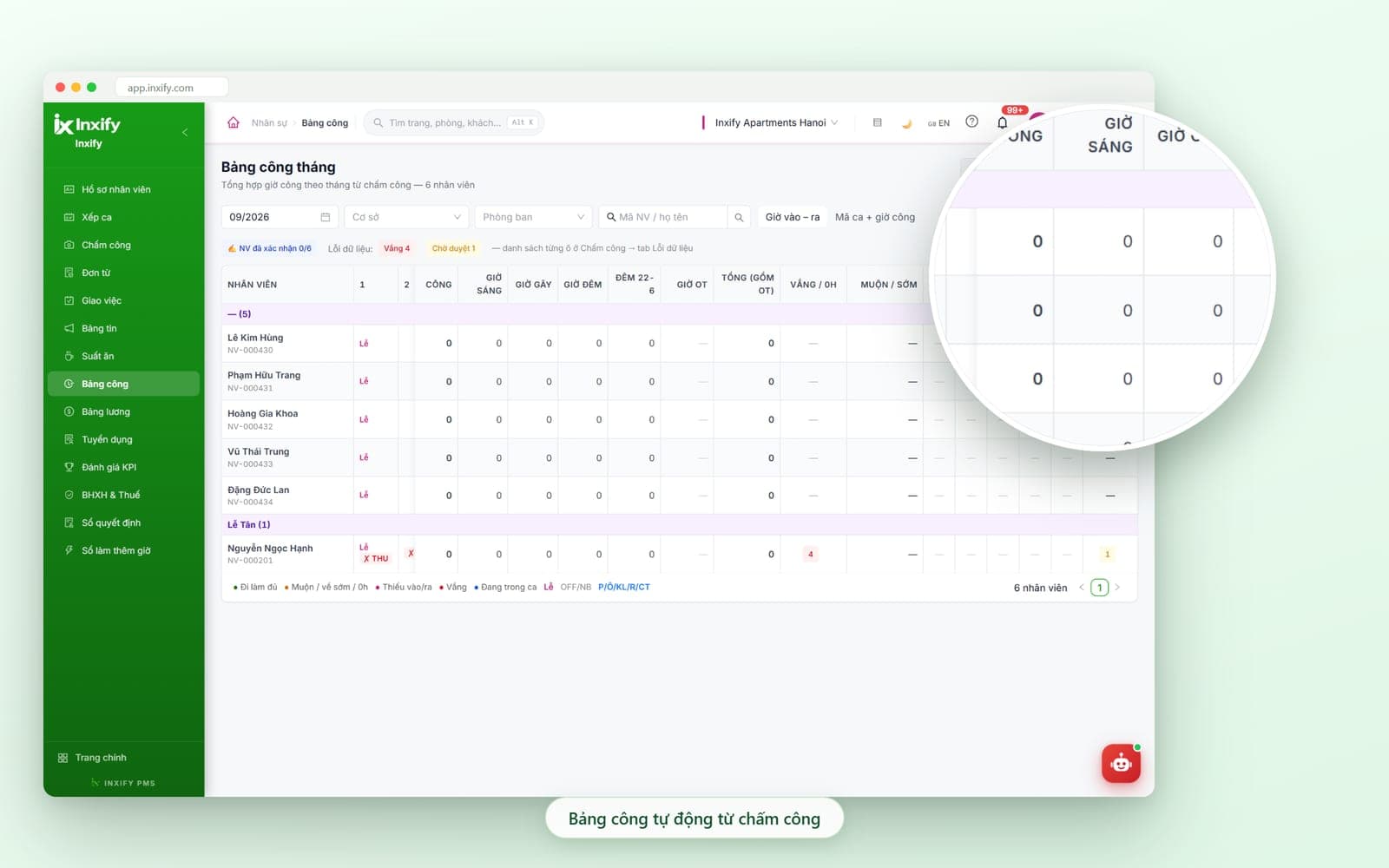
Real Inxify screenshots from a demo environment — figures shown are for illustration only. Screens are shown in Vietnamese.
Why hotels come looking for a staff module
Added by hand once a month, argued over every time
A hotel runs on shifts: someone swaps, someone is off sick, someone works overtime. The situations below are where hours and wages usually drift apart.
Month-end timesheet added by hand
Before
Shifts on a whiteboard, clock-ins in a notebook; at month end accounting adds up each person and anyone can dispute it.
With Inxify
In and out times per shift go into Attendance; the monthly timesheet totals itself and staff confirm before locking.
Pay recalculated from scratch in Excel
Before
The timesheet is copied into Excel for wages, insurance and tax; edit one cell and a whole column shifts unnoticed.
With Inxify
Payroll is computed from the locked timesheet with insurance, income tax and advances — nothing copied over.
Tasks given verbally, progress kept in heads
Before
Tasks handed out in a group chat; who is done means asking again, and sign-off has nothing to check against.
With Inxify
Every task is a card moving through New, In progress, Awaiting sign-off, Done — open the board and it is there.
Staff files in a different folder each
Before
Contracts and documents live in a cabinet and in scattered files; nobody flags a contract about to expire.
With Inxify
Records, contracts and documents in one place per property; the Contracts expiring tab lists who must re-sign.
Built around the way you split shifts
Your shifts, your pay formula — not a default set
Two hotels with the same room count still split shifts differently: three front-desk shifts here, two long ones there; a night allowance here, meal money there; sign-off by rooms cleaned here, by service shift there. Inxify HR keeps the roster – attendance – timesheet – payroll frame and sets the items below to your hotel at setup. Whatever is missing, we build for you.
Tailored to your hotel
A shift catalogue per department
Shift names, start and end times, split and night shifts are declared the way your hotel divides them; front desk, housekeeping and restaurant each get their own set.
Your pay, insurance and tax policy
Additions and deductions, meal money, night hours, overtime, business-result coefficient and dependents are set in the Policy tab — one set per property if needed.
Sign-off and KPI criteria per position
Task types, who signs off and KPI criteria are set per position and per property — no single yardstick for the whole hotel.
Who sees what, following your real org chart
A shift manager sees only their department, accounting sees locked timesheets, the chain owner sees every property — permissions by position, shared with the PMS.
A shift catalogue per department
Shift names, start and end times, split and night shifts are declared the way your hotel divides them; front desk, housekeeping and restaurant each get their own set.
Example: Front desk on three eight-hour shifts, housekeeping on office hours, restaurant on a split shift.
Your pay, insurance and tax policy
Additions and deductions, meal money, night hours, overtime, business-result coefficient and dependents are set in the Policy tab — one set per property if needed.
Example: Night hours 10pm–6am paid differently; a newly opened property uses its own coefficient.
Sign-off and KPI criteria per position
Task types, who signs off and KPI criteria are set per position and per property — no single yardstick for the whole hotel.
Example: Housekeeping measured by rooms cleaned to standard; the restaurant by service shifts signed off.
Who sees what, following your real org chart
A shift manager sees only their department, accounting sees locked timesheets, the chain owner sees every property — permissions by position, shared with the PMS.
Example: The head housekeeper assigns shifts to their team but cannot open front-desk payroll.
Function groups
Each group replaces one manual sum and closes one gap for errors
Each group below comes with three boxes: the manual work you no longer do, the errors that get blocked, and the part set up for your hotel.
Staff records
Records, contracts and documents per person, in one place per property
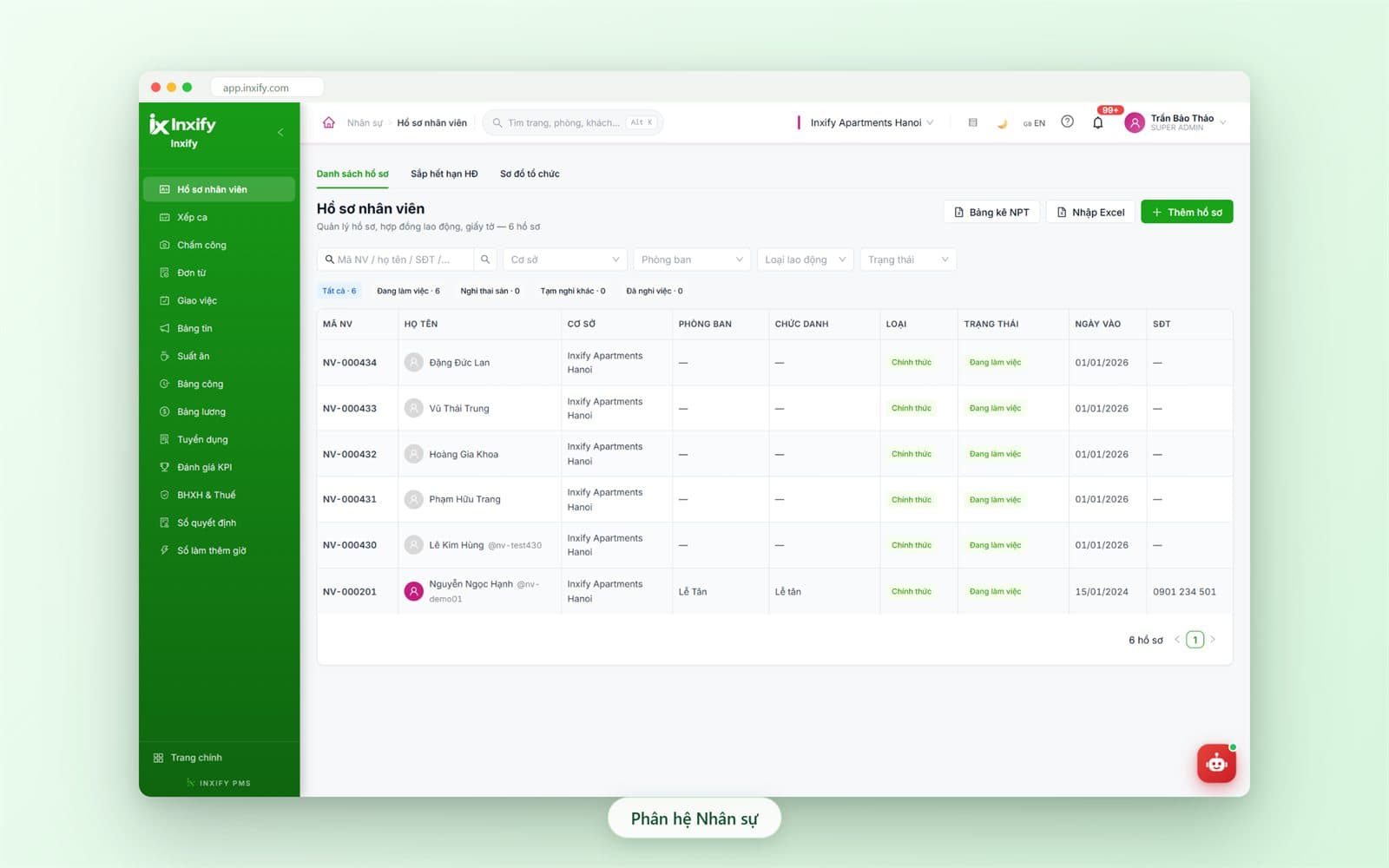
One record per employee: code, property, department, title, employment type, start date, status, contract and attached documents. The login account is tied to the record, so whoever acts in the PMS is a named person in the staff ledger.
Key features
Records list
Filter by property, department, employment type and status; chips count active, on maternity leave, temporarily off and departed. Add records one at a time or import Excel once for the whole team.
Contracts expiring
A dedicated tab lists labour contracts coming up for renewal so they are re-signed on time — without waiting for someone to remember.
Org chart
Property, department and title from the records are drawn as an org chart — who belongs to which department is clear at a glance.
Dependents list
Dependents are recorded right in the staff record, ready for the Dependents / tax tab when payroll is prepared.
Decision log
HR decisions are kept as a log you can look up when needed — no digging through old files.
Less work
- No rummaging through cabinets for a contract — records and documents open from one row
- No retyping the staff list — one Excel import for the whole team
Fewer errors
- Expired contracts are not missed — the Contracts expiring tab lists them ready
- Dependents are recorded once in the record — no asking again when payroll is prepared
Tailored to your hotel
Departments, titles, employment types and statuses use the exact names your hotel already uses; with several properties, each gets its own list and the chain owner sees them combined.
Rosters · Hours · Pay
Roster once, the timesheet totals itself, pay follows locked hours
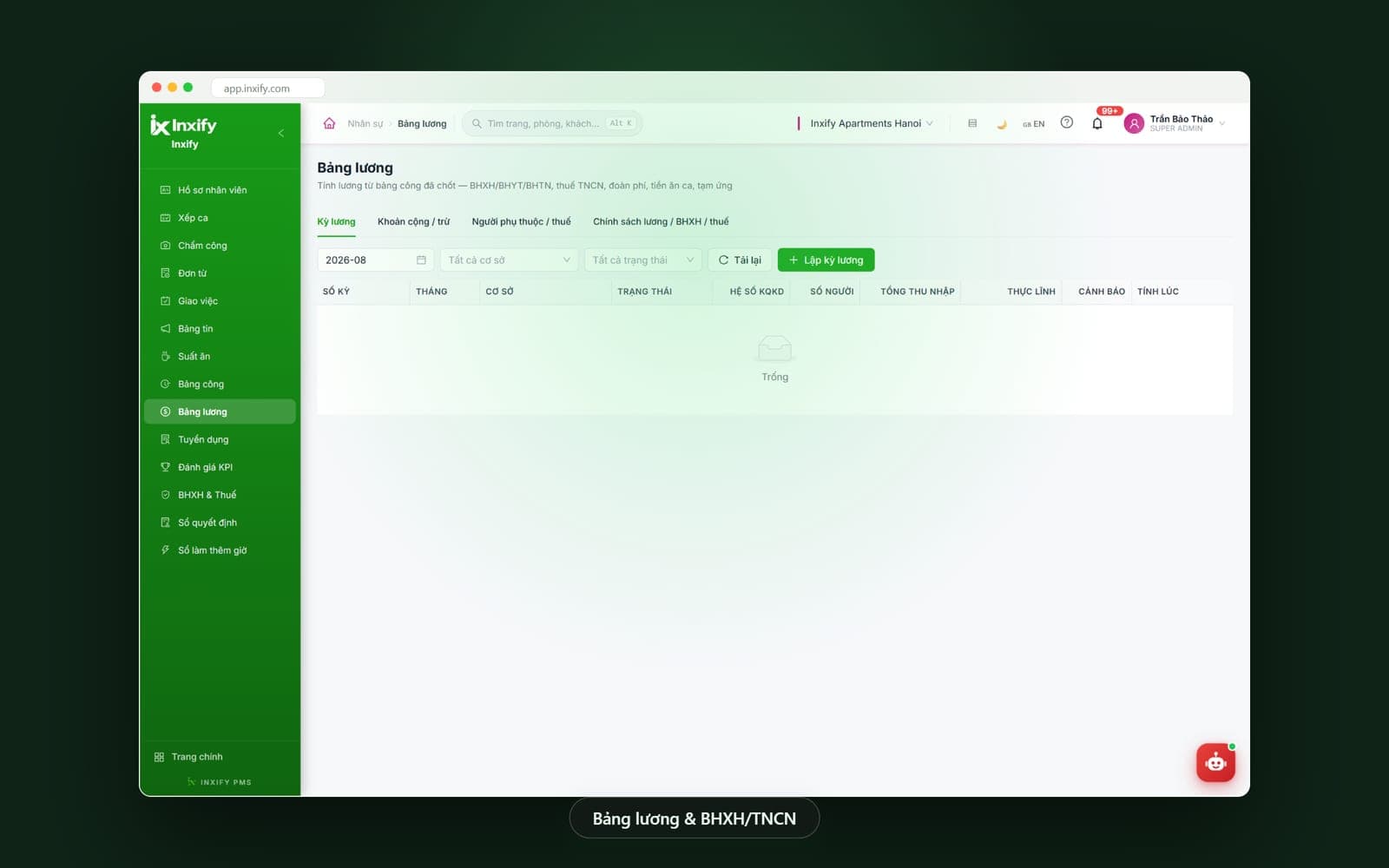
The month's most time-consuming chain runs in one line: shifts assigned by week, in and out times in Attendance, a timesheet totalling morning, split, night and overtime hours; staff confirm, a manager locks, then payroll.
Key features
Rosters
Assign shifts by week to each employee: select several people and assign in bulk, set days OFF; the weekly coverage bar and the unassigned-staff warning sit right at the top of the grid.
Attendance
Clock-in and clock-out for each shift go into Attendance; missing in/out, late and early-leave cells are flagged and listed in the Data errors tab to fix before locking.
Leave requests
Annual leave, sick leave and other requests are submitted and approved in the system; pending requests show at the top of the timesheet instead of a word passed between shifts.
Timesheet
Monthly timesheet totalled from attendance: workdays, morning, split, night and 10pm–6am hours, overtime, absences, late and early marks, by department; staff confirm before a manager locks it.
Payroll
A pay period per month and property from the locked timesheet: social, health and unemployment insurance, income tax, union dues, meal money, advances; the Warnings column flags rows to review.
Insurance & Tax · Overtime log
Two ledgers alongside payroll — Insurance & Tax and the Overtime log — so accounting can look up insurance, tax and overtime figures without opening each pay period.
Less work
- No copying clock-in times from a notebook into Excel to add up hours
- No recalculating insurance, tax and advances by hand for each person every month
- No messaging each person about their shift — the whole week assigned at once
Fewer errors
- Anyone without a shift shows up at the start of the week, not when you are short-staffed
- Missing in/out cells never reach payroll — hours are locked before a pay period is created
- Staff confirm their hours before locking — no more arguments on payday
Tailored to your hotel
Shift catalogue, night hours, split-shift and overtime rules, additions and deductions, meal money and insurance – tax policy are set per property; what you have that the system lacks, we build.
Payroll is computed from the locked timesheet inside Inxify HR; deeper accounting and finance (general ledger, bookkeeping) is developed on request.
Tasks & KPI
Every task is a card, moving from New to Done — no asking again
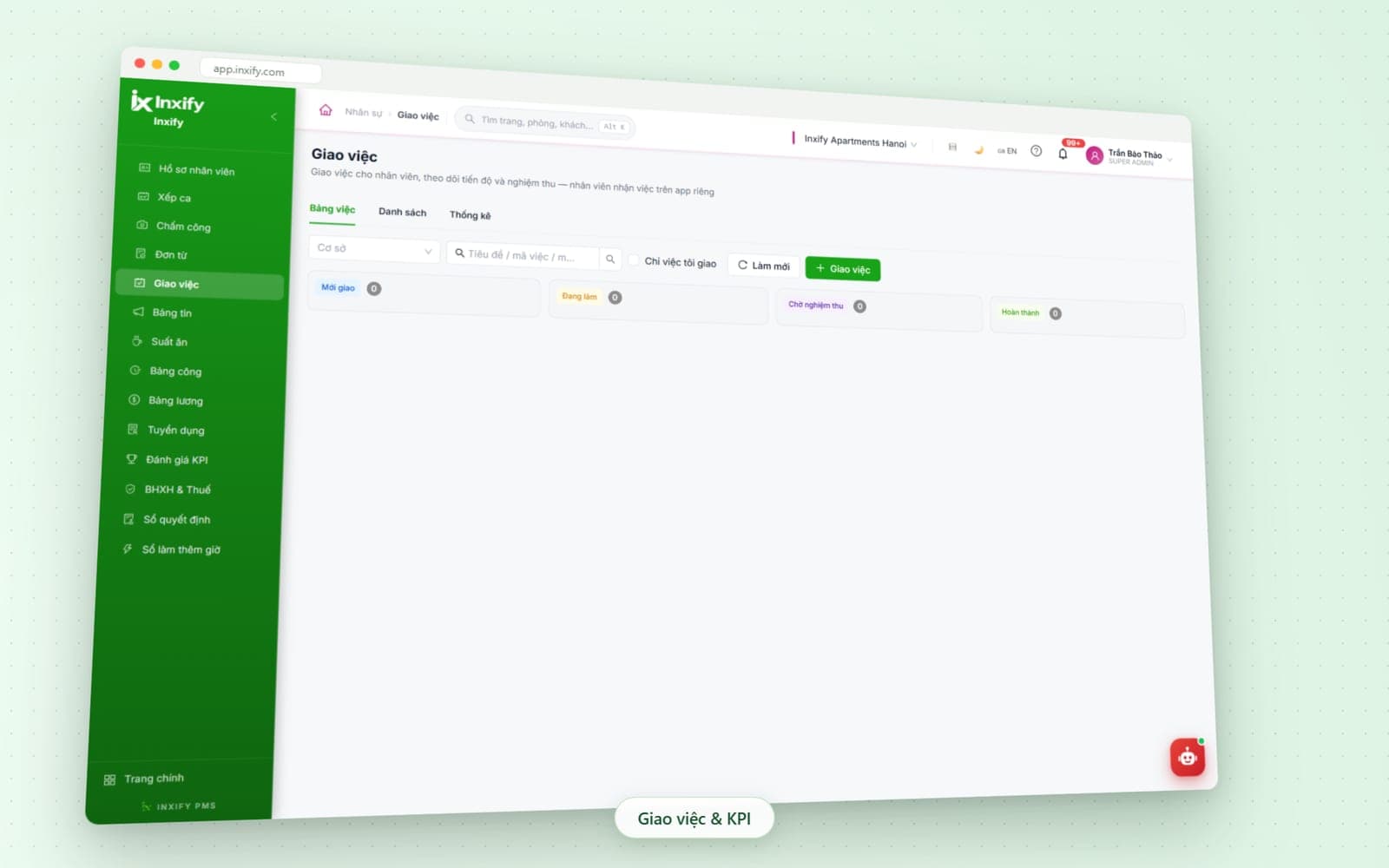
Assign tasks to staff, track progress and sign off on a four-column board; staff pick up tasks in their own app, and a manager opens the board to see which task is stuck where, and whose it is.
Key features
Task board
Four columns New → In progress → Awaiting sign-off → Done; cards move across as work progresses, and each column shows its task count at the top.
Assign a task
Set a title, task code, assignee and property; staff pick up the task in their own app and report back when done to await sign-off.
Only tasks I assigned
One checkbox lets a shift manager see only the tasks they handed out — the shared board no longer mixes in other departments' work.
List & Statistics
Switch to list view to filter, or statistics view to see how many tasks each person and each property completed in the period.
KPI review
Review KPIs per period for each employee right inside the module, next to assigned tasks and the timesheet — reviewed on data already there, not on gut feeling.
Less work
- No group-chat messages asking whether it is done — open the board and see
- No tallying tasks by hand at period end — the Statistics tab already counts them
Fewer errors
- Tasks given verbally are no longer forgotten — every task is a card with an assignee
- Nobody marks their own work done — it has to pass through Awaiting sign-off
Tailored to your hotel
Task types, who signs off and KPI criteria are set per position and per property — housekeeping, front desk and restaurant each get their own set.
Recruiting & Training
Post openings, score with AI help, and a hire becomes a staff record
Feature group · Recruiting & Training
Post openings, score with AI help, and a hire becomes a staff record
- Job postings
- Candidates
- AI scoring
Recruiting lives in the same module: post openings, collect applications, score each candidate against the criteria you set and rank them. AI suggests a score with reasons — the recruiter still decides, and the system never rejects an application on its own.
Key features
Job postings
Each posting has a position, headcount, scoring criteria, salary range and closing date; its status is tracked right on the list.
Candidates
Applications land under the posting they answer, with a score against the criteria and a rank; once you pick someone, the staff record is created from that same CV — nothing retyped.
AI scoring
Press AI score to get a suggested score with reasons for each application; switch it on or off per hotel, and it never rejects a candidate by itself.
Training academy
An add-on module for when your hotel wants new staff trained right inside the system, under the same account.
Less work
- No gathering CVs from email and messages into a spreadsheet to compare
- No retyping candidate details at contract signing — the record carries straight over
Fewer errors
- No candidate dropped because a file was missed — every application has a score and reasons
- AI only suggests; it never replaces the recruiter's decision
Tailored to your hotel
Scoring criteria are written per position at your hotel; AI scoring is switched on or off to match your internal policy.
The Training academy is an add-on module — added when needed.
One month of HR
From roster to payroll, nothing copied over at any step
The steps below are linked by the same data — a shift assigned is the shift recorded, hours locked are the hours paid.
Start of week — roster the whole department
Select staff, assign shifts in bulk, set days OFF; anyone without a shift is flagged right away.
Every shift — in and out times into Attendance
Leave, late and early-leave requests are submitted and approved in the system instead of a word passed between shifts.
Mid-month — tasks assigned and signed off
Staff pick up tasks in their own app; managers sign off and view statistics per person.
Month end — the timesheet totals itself
Fix data-error cells, staff confirm their own hours, the manager locks the timesheet.
Pay period — taken straight from the timesheet
Insurance, tax, meal money and advances are precomputed; the Warnings column points to rows to review before paying.
What is in Inxify HR
Every HR item in one module, sharing an account with the PMS
These are the items in the HR menu — each hotel uses the parts it needs, rolled out on its own schedule.
In the HR module
Added on or developed on request
Multiple properties
Every screen filters by property and department; the chain owner sees them combined, a property manager sees only their own people.
One account with the PMS
Staff log in once for both their shift work and their HR record; roles in the PMS are tied to the record in HR.
One platform
The people in HR are the people on shift in the PMS
One login and one record per employee — shifts, assigned tasks and pay all come back to the same person.
Inxify PMS
Whoever is on shift in the PMS has a record and a shift in HR — one account, so the PMS activity log and the HR timesheet describe the same person.
See detailsInxify CRM
The staff member looking after a guest in the CRM is the same person with a record and shift in HR — no extra account to create.
See detailsVirtual Front Desk
Who picked up a guest request from Virtual Front Desk, and on which shift — HR records the shift and the person who served.
See detailsHow you split shifts, how you pay — built live in the demo
We set up a shift catalogue, one timesheet and one pay period using your own department, not a default set; by the end you will know which items need building just for you.